Features
Core User Experience
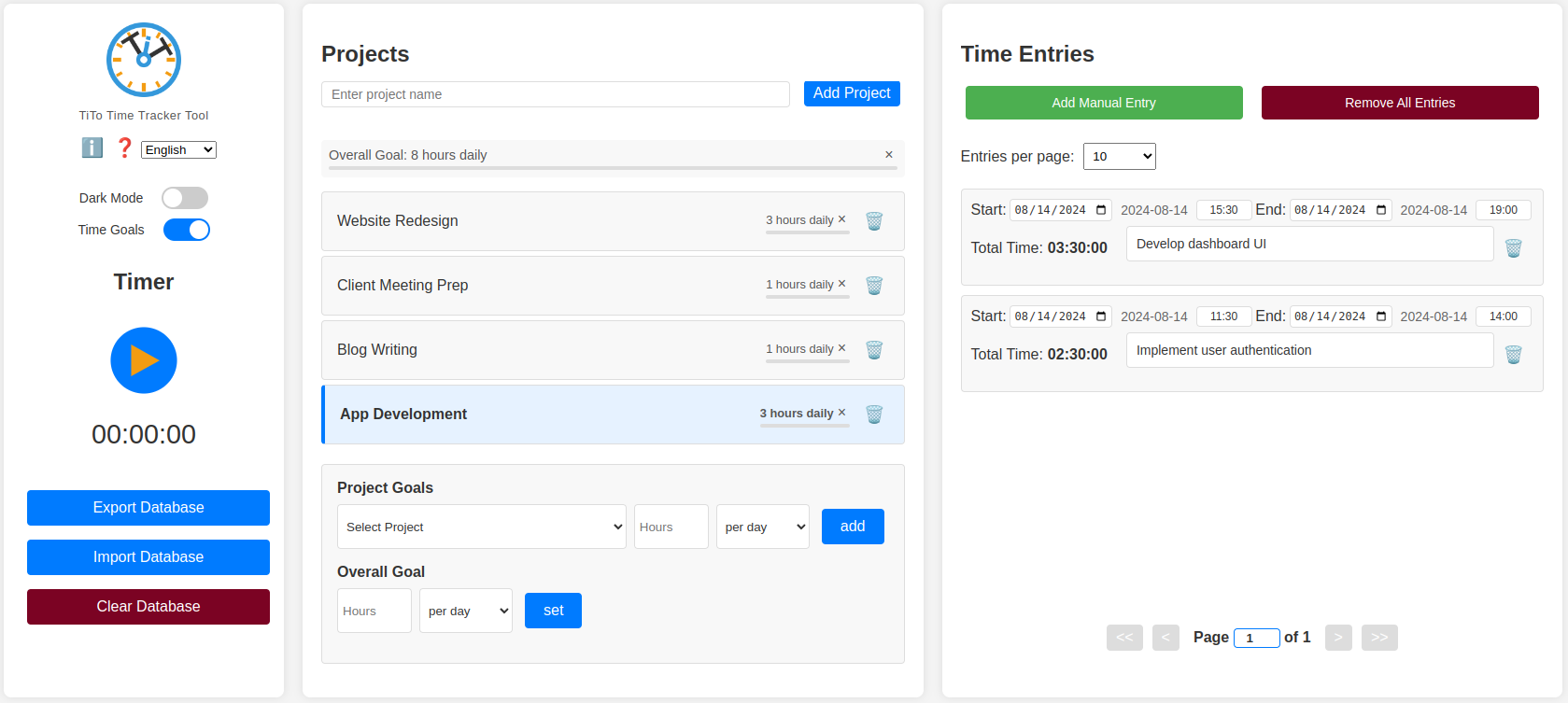
- Clean three-column layout
- Multi-lingual support (English, Swedish, Spanish, Basque, French, German and Japanese)
- Dark mode
- Support for screen reader (tested with Orca on Linux Mint)
- Support for keyboard navigation (tested in Chrome on Linux Mint)
- Help modal
- Info icon for quick access to app info and links
Core Time Tracking
- Start and stop a timer for active time tracking
- Add manual time entries
- View and edit time entries with custom dates and time inputs
Time Entry Management
- Create and manage multiple projects
- Drag-and-drop interface for reordering projects and time entries
- Paginated time entries list with customizable entries per page (5, 10, 20, 30, custom, or all)
- Editable page number for quick navigation through time entries
- Clear all button for entries
Reporting & Visualization
- Charts displaying time spent on different projects: Overall time distribution, Time spent in selected time ranges
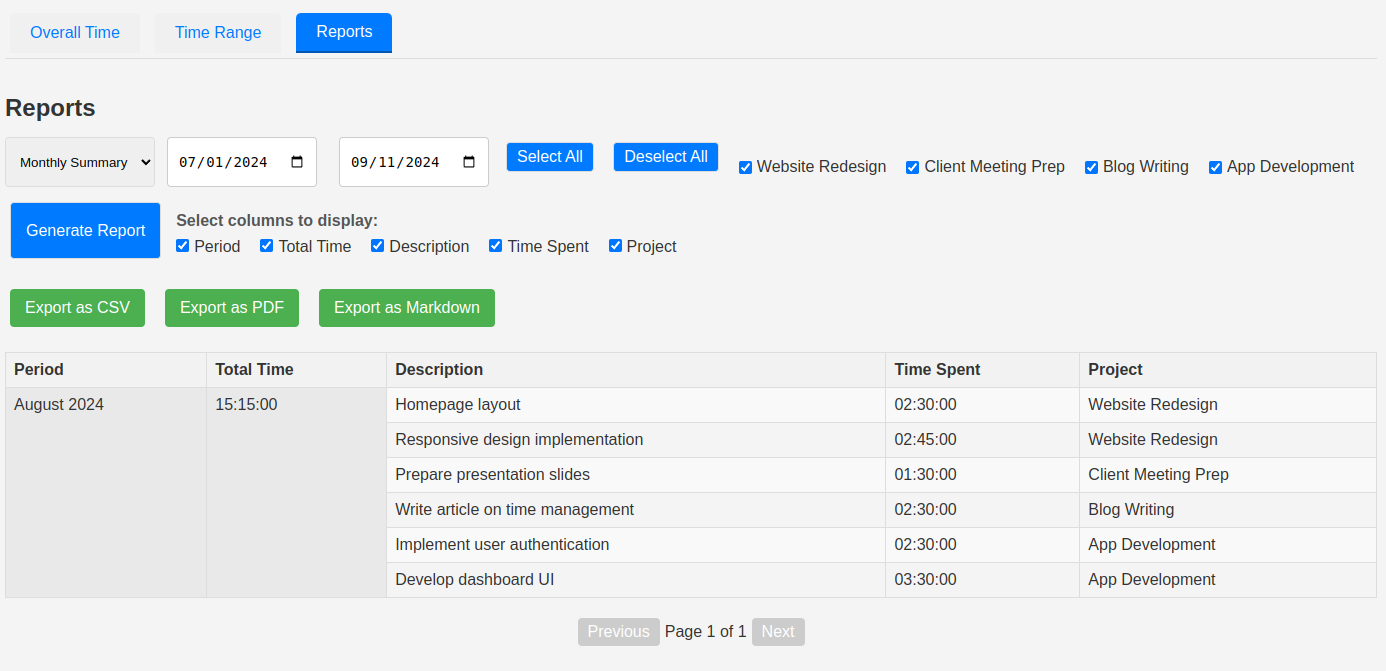
- Monthly or weekly reports with export to CSV, PDF, or markdown
- Date range selection for detailed data analysis
Technical & Functional
- Local data storage using IndexedDB
- Import/Export of database from/into .JSON-file for backup and transfer
- Offline functionality – works entirely in the browser
- Built with vanilla JavaScript, HTML, and CSS
Latest Updates
- Version 1.11.0: Fixed time ranges for reports. Added daily report.
- Version 1.10.0: Added time goals.
- Version 1.09.0: Removed unnecessary pause function. Customized timer button to dark/light mode.
- Version 1.08.2: Made time entries follow local timezone.
- Version 1.08.1: Added dark mode. Added support for French, German and Japanese. Added icon.
Planned Features
- None at the moment
Known Issues
- Keyboard navigation does not work in Firefox
- Project list in time goals section does not update immediately upon import of database, only after page is refreshed.
Installation & Usage
- Download the TiTo Time Tracker 1.11.0 ZIP file from the link below.
- Extract the contents of the ZIP file to a location on your computer.
- Open the extracted folder and locate the index.html file.
- Double-click index.html to open it in your default web browser.
Recommended: Create a Bookmark
For quick and easy access to TiTo Time Tracker, create a bookmark in your web browser (typically by pressing Ctrl+D or Cmd+D, or by clicking the star icon in the address bar). Move the bookmark to your bookmarks bar for one-click access. This lets you open the time tracker quickly when you need it, enhancing your productivity.
Contributing
Feel free to suggest features via my contact page. If you would like to support the project, you can donate here (please write TiTo in the donation message).
License
TiTo is released under a custom license. For more information, see the LICENSE file included in the download or repo.
Acknowledgments
Built with the help of Claude 3.5 & 4 Sonnet, an AI assistant created by Anthropic.
Screenshots